Delete Account Guide
How to delete your account?
We are sorry to see you go. If you wish to permanently delete your account and all associated data, please follow the steps below within the MyAnimeDex mobile application.
Step 1: Open Profile
Open the app and navigate to your Profile tab by tapping the icon in the bottom navigation bar.
Step 2: Scroll to Danger Zone
Scroll down to the bottom of the profile page until you see the section labeled "Danger Zone".
Step 3: Tap Delete Account
Tap on the "Delete Account" button.
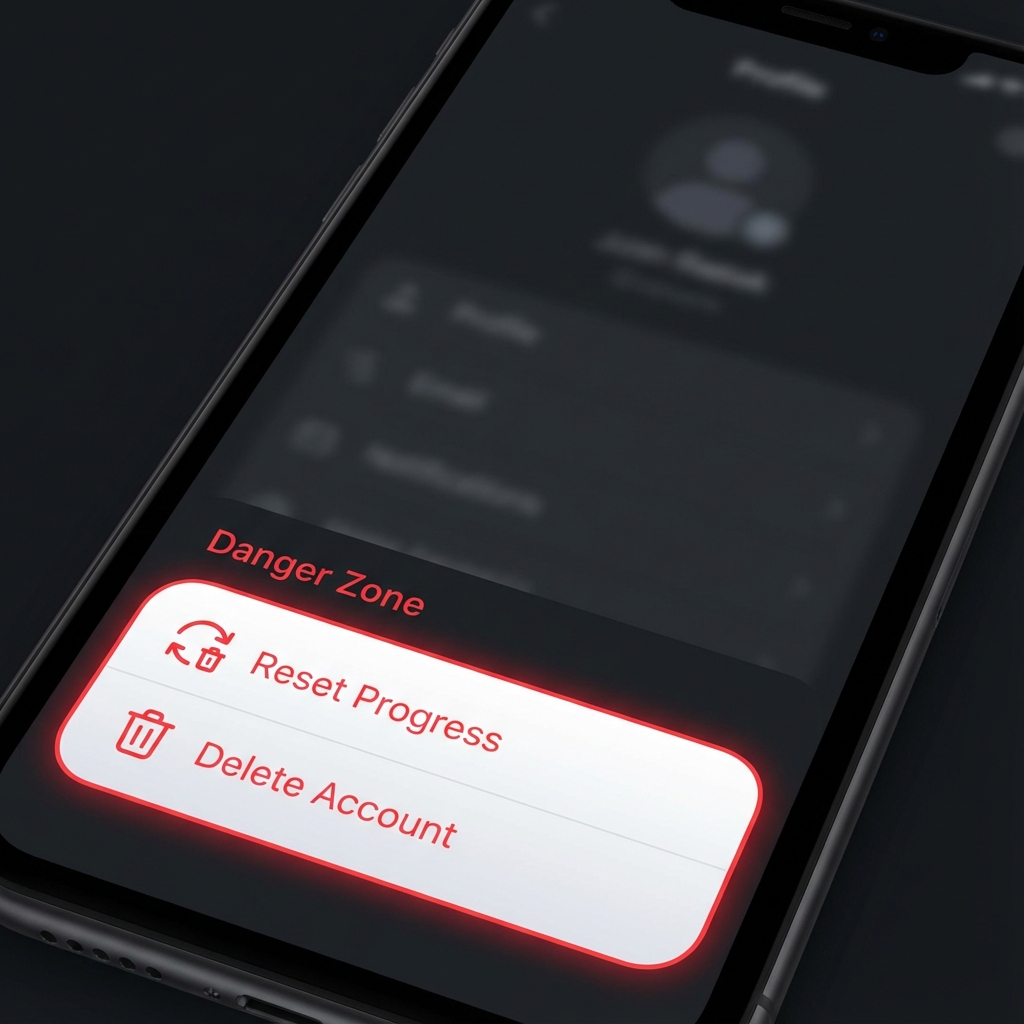
Screenshot of the Danger Zone section
Step 4: Confirm Deletion
A confirmation dialog will appear. Confirm that you want to delete your account. You will be logged out immediately.
Need more help?
If you cannot access your account or need manual assistance with account deletion, please contact our support team. We will process your request within 48 hours.
Email Support:
support@myanimedex.com
Please include your username and the email address associated with your account in your request.